
Wi-Fi 7 Mesh Guaranteed Excellence—What’s Causing My Smart Home Devices to Struggle?

We independently review everything we recommend. When you buy through our links, we may earn a commission which is paid directly to our Australia-based writers, editors, and support staff. Thank you for your support!
Quick Overview
- Wi-Fi 7 offers enhanced speeds and improved reliability but may not be ideal for homes with legacy devices.
- Multi-Link Operation (MLO) in Wi-Fi 7 can create complications for devices limited to 2.4GHz.
- Numerous smart home devices do not support the advanced functionalities of Wi-Fi 7.
- Wi-Fi 6 may be a better fit for residences with both old and recent devices.
Understanding Wi-Fi 7
Wi-Fi 7 represents the most recent advancement in wireless tech, offering unmatched speeds and the ability to accommodate multiple devices at once. However, these benefits come with drawbacks, especially regarding older smart home gadgets.
The Promised Future That Didn’t Fully Materialize
Wi-Fi 7 aims for backward compatibility to support older devices. However, many of these devices experience difficulties connecting to Wi-Fi 7 mesh networks. A key feature, Multi-Link Operation (MLO), intends to minimize lag by allowing devices to link across various bands. Unfortunately, this often results in confusion for older devices that are limited to the 2.4GHz band, resulting in frequent disconnections.
Is Speed a Necessity?
For numerous users, the transition from Wi-Fi 6/6E to Wi-Fi 7 may not be noticeable. If your NBN plan is under gigabit speeds, or if your primary usage centers around internet streaming and browsing, Wi-Fi 6/6E is still adequate. Those who transfer sizable files within their home network may find Wi-Fi 7’s advantages more beneficial.
Common Challenges
Problems with Wi-Fi 7 are widespread. Reports from forums and technology sites frequently indicate that most smart home IoT devices still rely on the 2.4GHz band, which is not optimally supported by Wi-Fi 7 systems. Router manufacturers, such as Asus and TP-Link, have recommended deactivating Wi-Fi 7’s advanced features to preserve connectivity, effectively reverting to Wi-Fi 6.
Older Smart Home Gadgets
Households with a range of devices, from new to over five years old, encounter issues with Wi-Fi 7. Items like smart hot water heaters and air conditioners, which depend on 2.4GHz connectivity, face struggles with the automatic band-switching features of Wi-Fi 7, leading to frequent connection interruptions.
Replacing Devices Isn’t Always the Solution
The idea of swapping out incompatible devices isn’t a feasible option for many. The expense of replacing high-value appliances that operate satisfactorily on older Wi-Fi standards can be daunting. Numerous smart home devices are not yet designed to accommodate the latest Wi-Fi technologies, rendering replacement an impractical remedy.
Returning to Wi-Fi 6
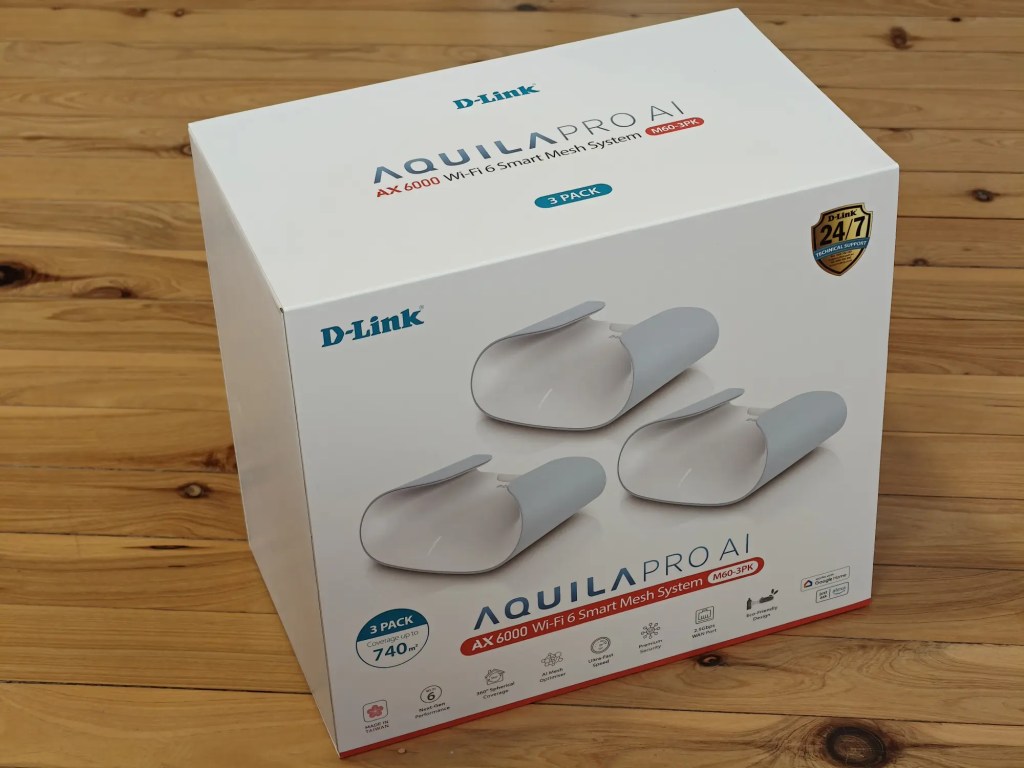
After experimenting with Wi-Fi 7 systems, reverting to a Wi-Fi 6 mesh system showed to be more effective for sustaining stable connections among mixed device types. For example, the D-Link Aquila Pro AI M60 mesh system supports both 2.4GHz and 5GHz bands, allowing older devices to stay connected without interruptions.
Conclusion
While Wi-Fi 7 delivers advanced features and enhancements, it may not be suitable for homes with a diverse range of smart home devices, particularly those that depend on 2.4GHz. Wi-Fi 6 continues to be a strong and dependable option for such settings, balancing speed and compatibility efficiently.